Referral Rocket User Guide
Referral Collection Process
Step 1: Get Clients To Fill Out Referral Sheets
Start the conversation!
Place signage throughout your clinic to prompt clients to ask you about the program. If you haven't yet, customize and print out your in-office signage using our Canva templates.
Ask clients if they would like to participate! The best places are in the treatment/consultation room or at checkout.
“Have you heard about our new referral program?”
>> No, I haven’t
“Every time a friend you refer comes into the clinic, they get a $200 credit, and you get $100. We even give a [referral incentive] just for filling out a referral form. Interested?”
>> Sure
“All we need to do is get the names and phone numbers of your friends who may be interested. Do you have anyone off the top of your mind? Some people like to check their recent text messages to jog their memory.”
>> Yep, I have some people!
At this point, you can give the person the referral collection sheet to fill out.
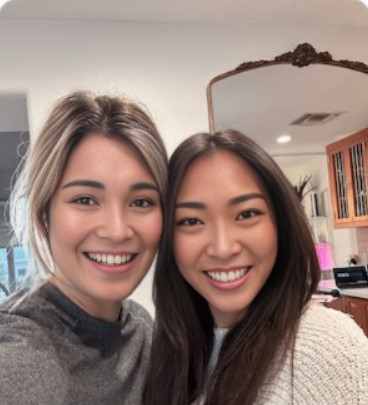
Step 2: Take a selfie with the client (optional)
When the client fills out the referral sheet, we highly recommend taking a selfie with them so that it can be included in the text. Just say: “People don’t like texts from strangers and would rather see a picture of your beautiful face!”
Have fun with this part!
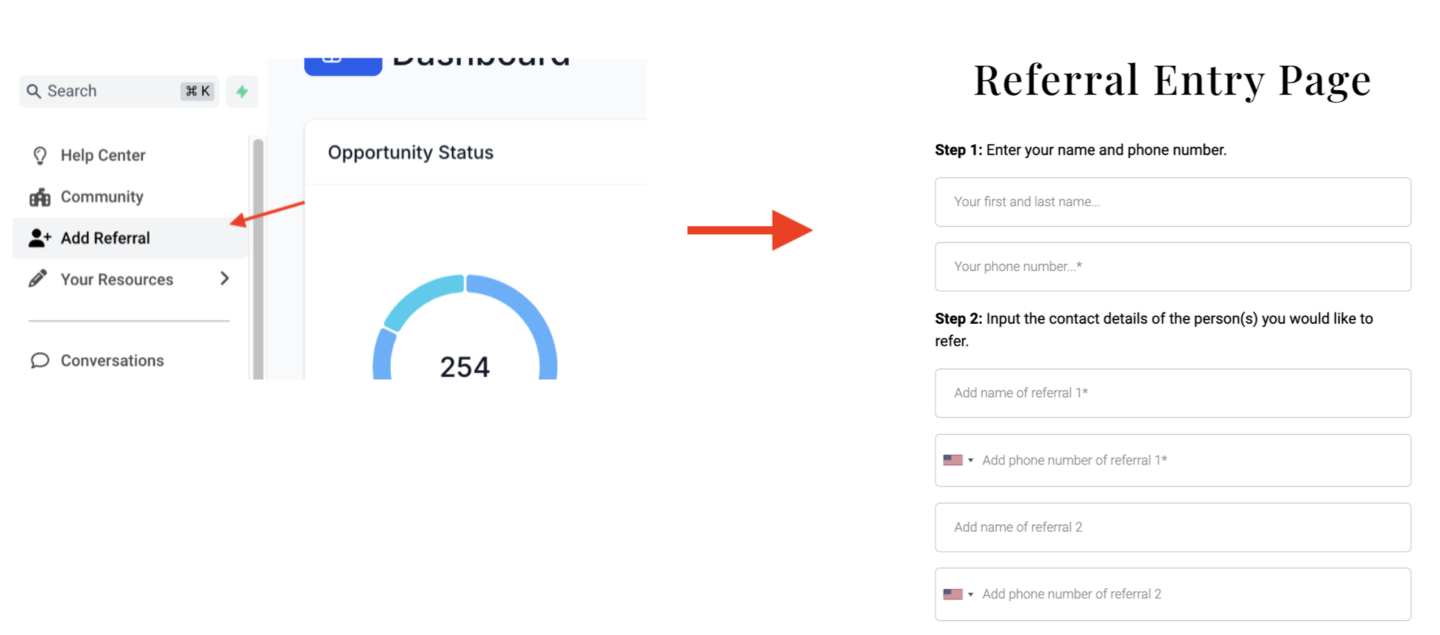
Step 3: Enter referral sheet submissions in the referral entry page
Click "Add Referral" in your GHL account to open your referral submission page.
After the physical collection sheet has been filled out, enter the submissions in the Referral Entry Page along with the name and phone number of the client who filled out the sheet.
Referral Booking Process
Here's what happens when you submit the Referral Entry Page:
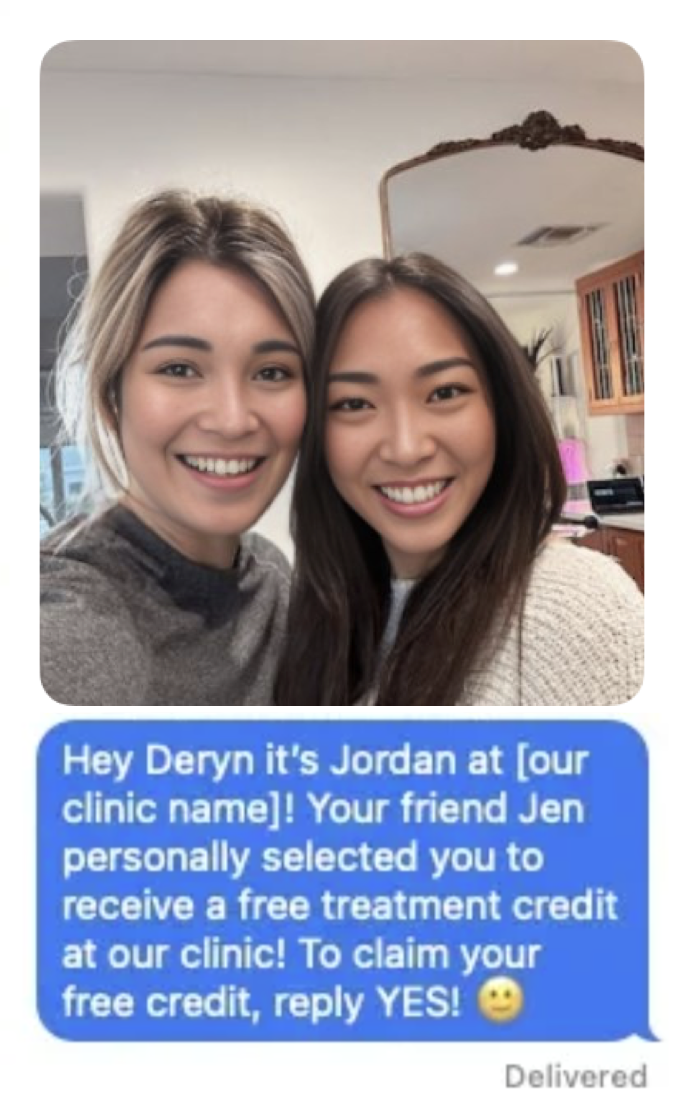
Every contact entered in the form will be sent a text like the one below. (They will only receive a selfie if you upload one.)
Our system will follow up with everyone and notify you if they are interested in booking an appointment! Those who are interested will become HOT Leads.
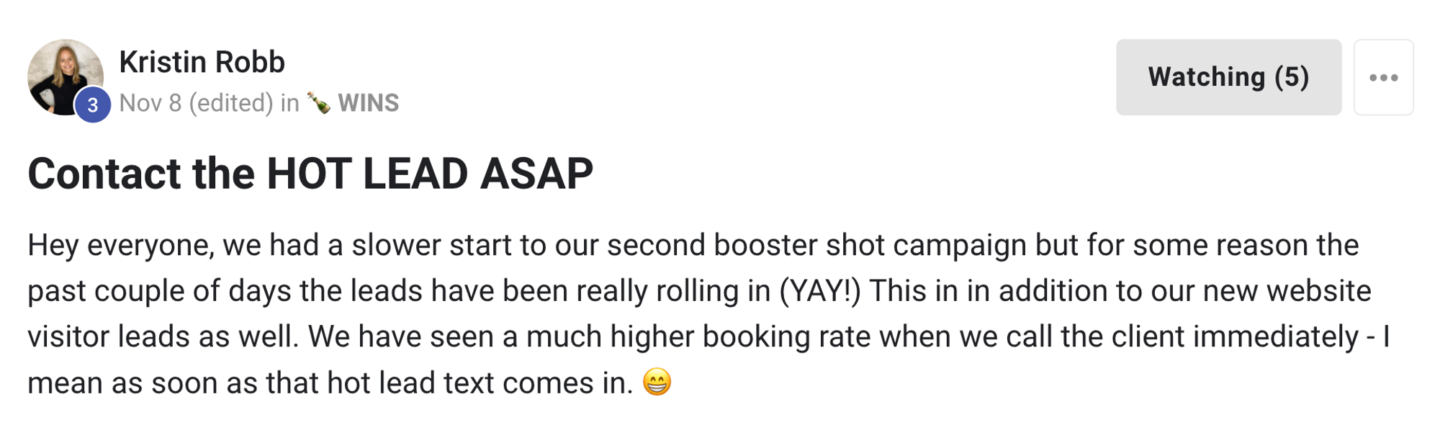
Contact Hot Leads as soon as you receive them! (You will receive a notification.) Don’t wait a day, an hour, or even 15 minutes. Try to contact each Hot Lead within 5 minutes. The sooner, the better. Visit the Hot Lead & Appointment Booking Workflow for further instructions on contacting Hot Leads.
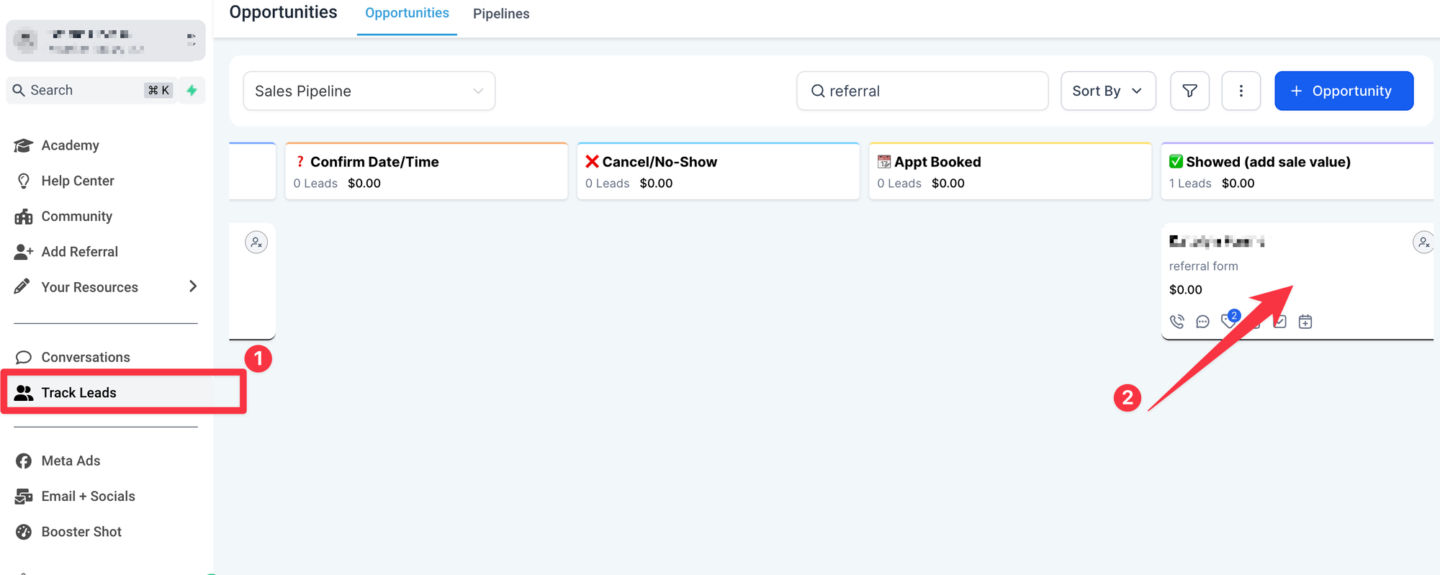
!When a referred client comes in and makes a purchase, move them to "✅ Showed (add sale value)" and mark them as “WON”.
Go to “Track Leads” and open the contact opportunity card. Move to "✅ Showed (add sale value)"!
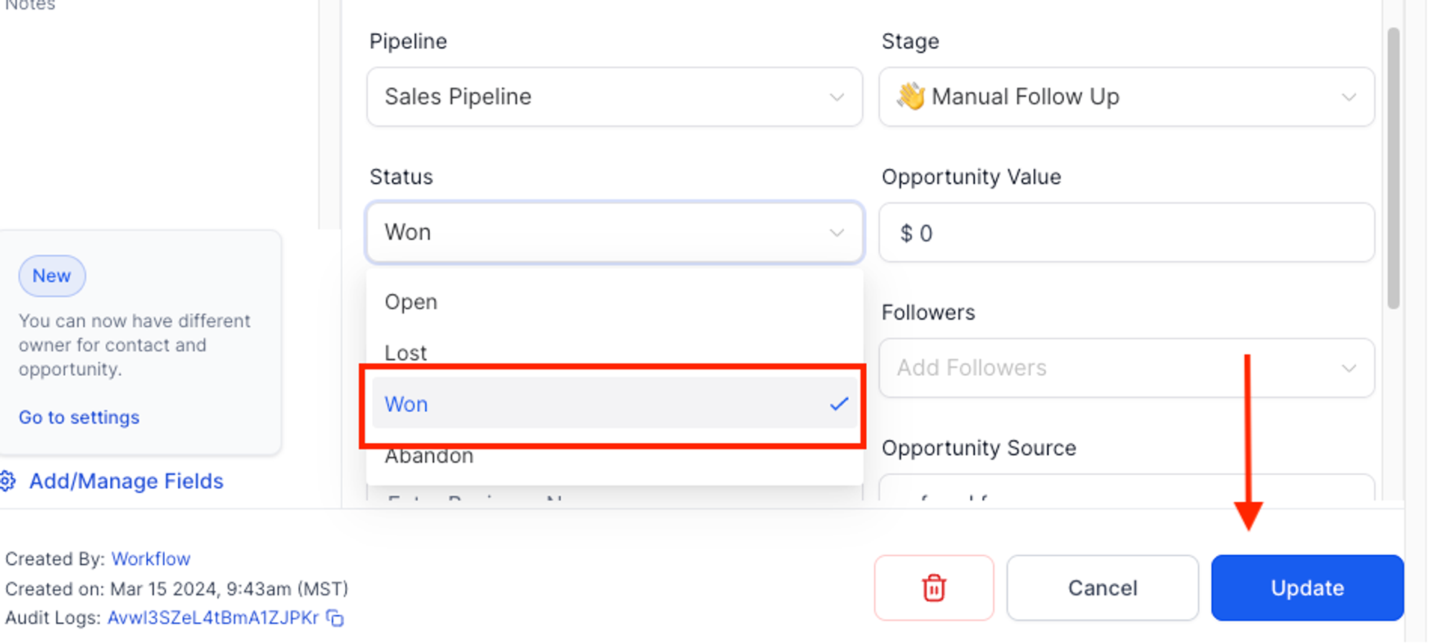
Under status, select “Won”, and click “Update”.
!When you mark an opportunity as “WON”, a text will be sent to the person who referred the new customer, notifying them that their referral has made a purchase, and they have 90 days to use their new credit.
Referral purchase notification text:
Congrats [contact]
Your friend [referral name] has made a purchase! Thank you so much for the referral!
Your account has now been credited with $100!
This credit is valid for 90 days, please text or call us to book! :)
Did this answer your question?
Thanks for your feedback!