How To Distribute Case Studies
Once you start collecting case studies, the next step is to distribute them both online and offline.
The goal is to get potential clients to see your case studies as many times as possible across different media.
There are 4 main ways to distribute your case studies, as illustrated below:
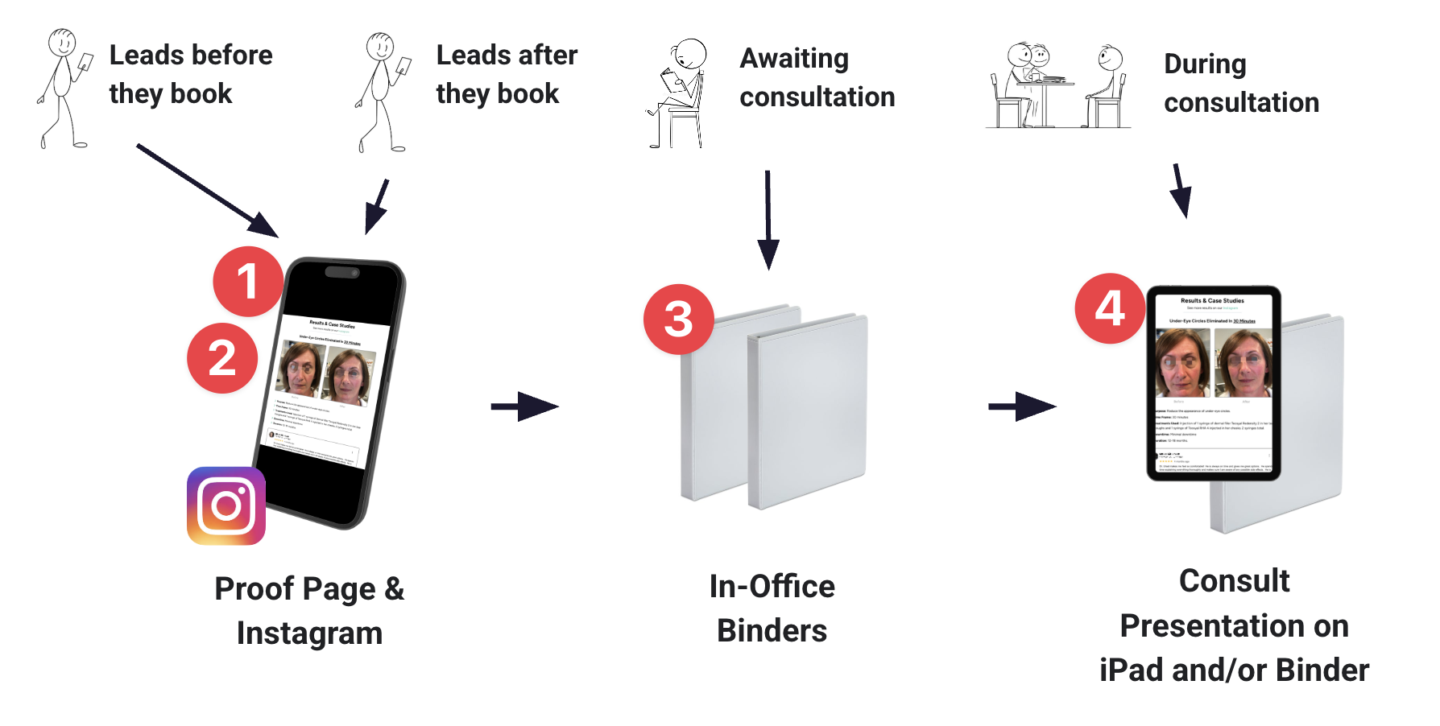
1) Proof Page
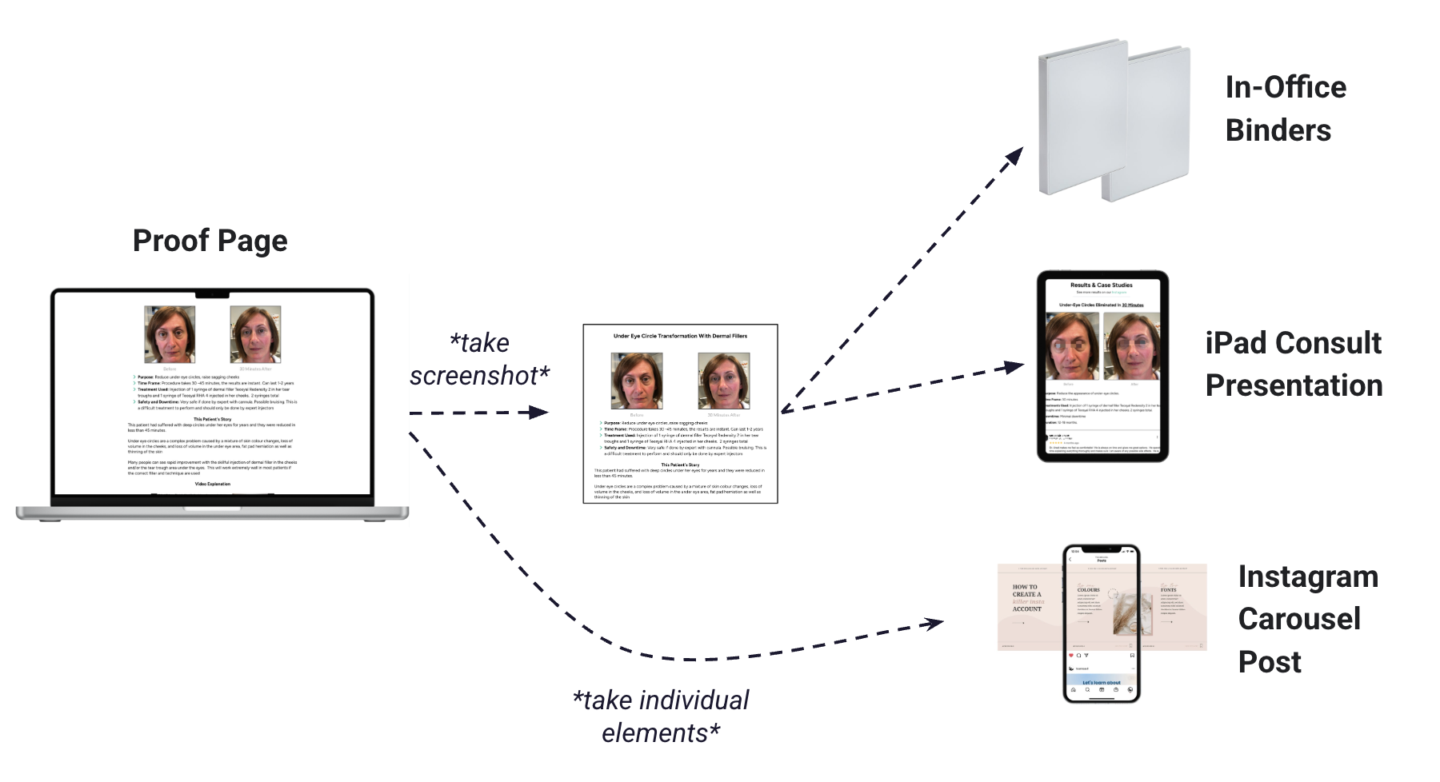
Your Proof Page is the "source of truth" for all your case studies.
Visit the Add Case Studies To Funnel training for instructions on adding case studies to your Proof Page.
Once you've added a case study to your Proof Page, you take a screenshot. You can then add that screenshot to your in-office binders and your consult presentation.
You can also take the individual elements of each case study to then create Instagram carousel posts.
2) Instagram
The best way to distribute your case studies to Instagram is through carousel posts.
The Add Case Studies To Instagram training shows you how to do this.
3) In-Office Binders
Binders are the best way to distribute case studies in the clinic because they allow you to add your case studies one at a time as you collect them.
The goal is to continually build your book of case studies, ever adding to your stockpile of proof that you get amazing results.
Visit the Add Case Studies To Binders training for instructions on this.
4) iPad Consult Presentation
Finally, you want to add your case studies to your iPad consultation presentation so you can review them with clients during the consultation.
You can also transfer your presentation to a binder if you prefer flipping through a physical booklet with your clients.
Visit the Add Case Studies Consult Presentation for instructions.
Did this answer your question?
Thanks for your feedback!